
In-app verification for mobile apps. Stop fraud at the moment it matters
High-risk actions, payments, withdrawals, account changes, are where fraud peaks. Authsignal's in-app verification silently confirms every sensitive action is coming from the user's registered device. No SMS codes. No redirects. No drop-off. Strong customer authentication that never costs you a conversion.
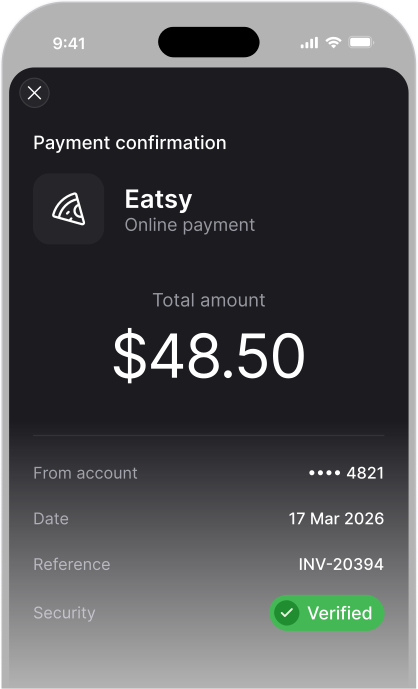






Secure high-risk actions without leaving your app.
In-app verification is a form of strong mobile authentication that challenges users to prove possession of their registered device before completing a sensitive action, a payment authorisation, profile change, or fund transfer.
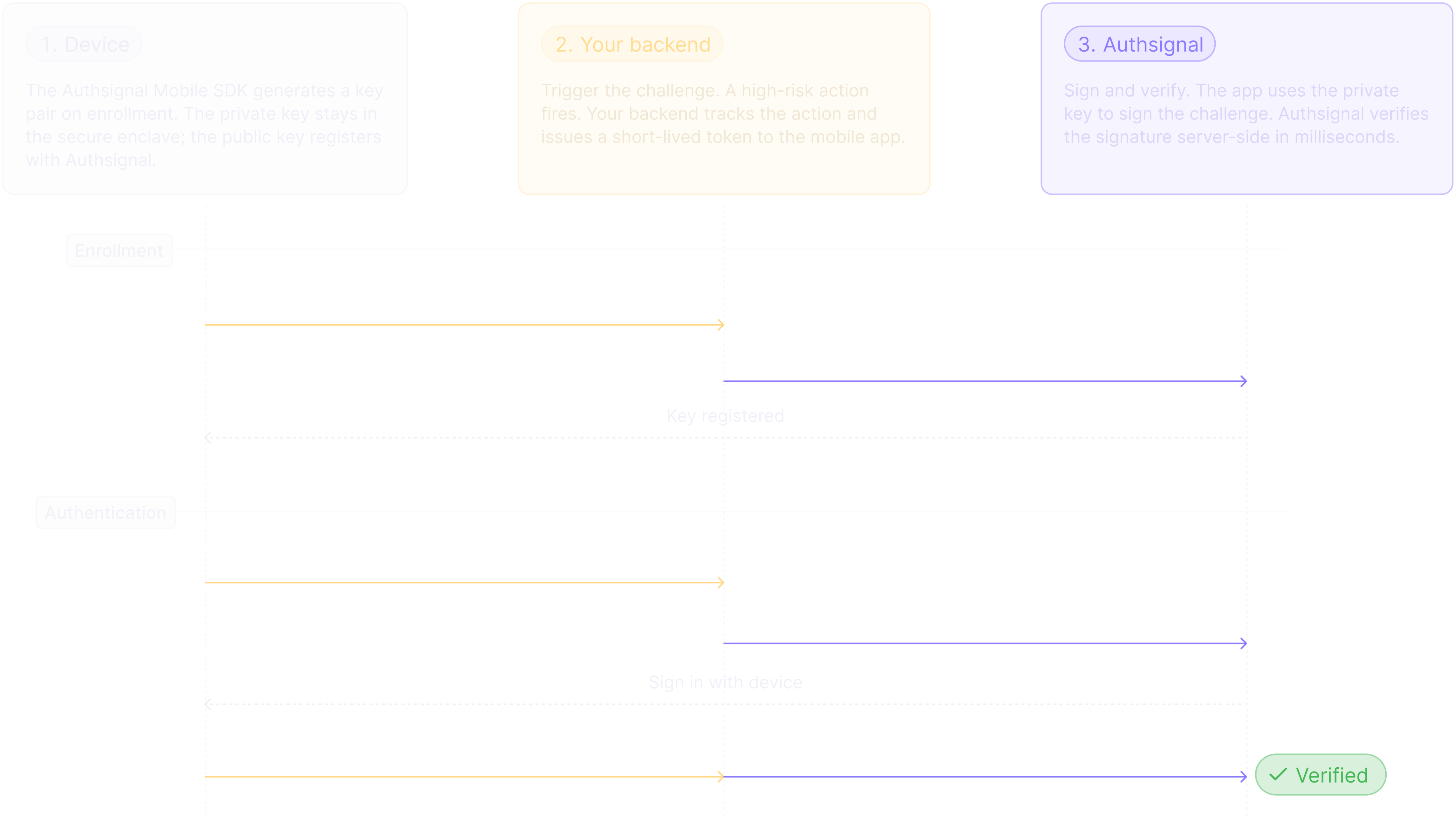
A private key stored in the device's secure enclave signs every challenge cryptographically. No codes are sent. No app switching happens. Your users barely notice, and fraudsters can't replicate it from a stolen credential alone.
Deploy it in hours using Authsignal's Mobile SDK, and trigger step-up authentication only when your adaptive MFA rules engine says it's needed.
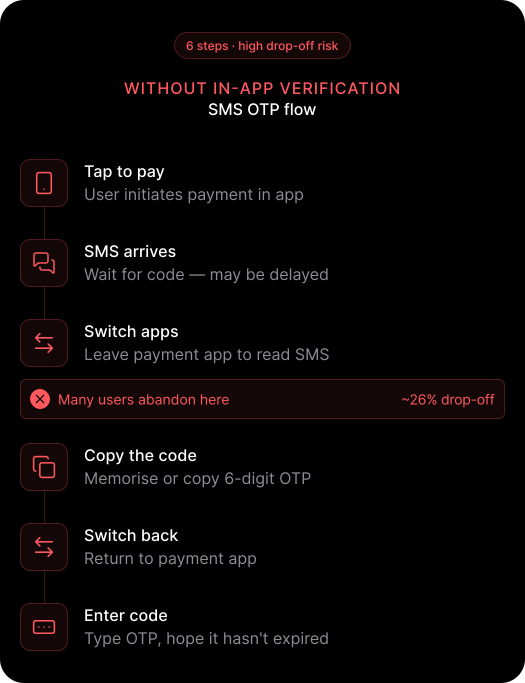
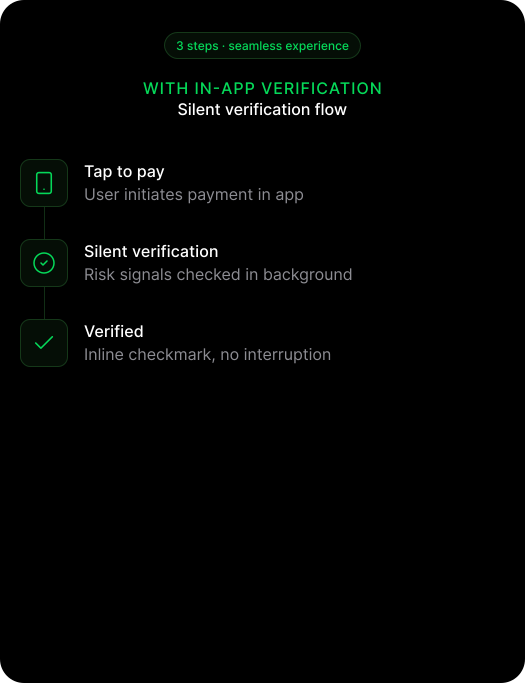
How in-app verification works
Three steps. Minimal engineering lift. Production-ready.
Key features
Eliminate device-based account takeover
Even with stolen credentials, attackers can't complete high-risk actions from an unregistered device. Private keys are bound to the device and never leave it.
Keep your conversion rates intact
Silent in-app verification adds no visible friction for legitimate users. No switching apps, no waiting for a one-time passcode, no drop-off.
Reduce unnecessary challenges with adaptive MFA risk scoring
Trigger mobile step-up authentication based on transaction velocity, value thresholds, behavioural signals, or custom risk scores, so low-risk actions stay fast.
Own the entire user experience
Build your own challenge UI using the Mobile SDK. Present a biometric prompt, PIN screen, or custom dialog. Authsignal handles the cryptography, you control the experience.
One mobile authentication SDK. Every platform.
Full support across iOS, Android, React Native, and Flutter with a single consistent API.
PSD2, RMiT, and PCI DSS - strong customer authentication, built in
Device-bound cryptographic verification can be used to satisfy requirements under PSD2, RMiT, and PCI DSS, with a full audit trail built in.
Code preview
Add silent step-up authentication to your mobile app in minutes.
Three API calls. Full cryptographic step-up authentication. No OTP infrastructure to maintain.
await authsignal.inapp.addCredential(token: "eyJhbGciOiJ...")authsignal.setToken(token: "eyJhbGciOiJ...")
let response = await authsignal.inapp.verify()
let token = response.data?.tokenconst response = await authsignal.validateChallenge({
action: "authorizePayment",
token: "eyJhbGciOiJIUzI....",
});
if (response.state === "CHALLENGE_SUCCEEDED") {
}authsignal.inapp.addCredential(token = "eyJhbGciOiJ...")authsignal.setToken(token = "eyJhbGciOiJ...")
val response = authsignal.inapp.verify()
val token = response.data?.tokenconst response = await authsignal.validateChallenge({
action: "authorizePayment",
token: "eyJhbGciOiJIUzI....",
});
if (response.state === "CHALLENGE_SUCCEEDED") {
}await authsignal.inapp.addCredential({ token: "eyJhbGciOiJ..." })authsignal.setToken("eyJhbGciOiJ...")
const response = await authsignal.inapp.verify()
const token = response.data?.tokenconst response = await authsignal.validateChallenge({
action: "authorizePayment",
token: "eyJhbGciOiJIUzI....",
});
if (response.state === "CHALLENGE_SUCCEEDED") {
}await authsignal.inapp.addCredential(token: "eyJhbGciOiJ...")authsignal.setToken(token: "eyJhbGciOiJ...")
final response = await authsignal.inapp.verify()
final token = response.data?.tokenconst response = await authsignal.validateChallenge({
action: "authorizePayment",
token: "eyJhbGciOiJIUzI....",
});
if (response.state === "CHALLENGE_SUCCEEDED") {
}Verify the way your users already trust
Trigger push approvals, passkey prompts, or biometric checks at any point in your app's transaction flow.
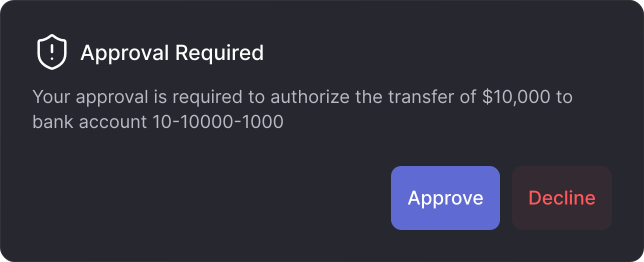
Push verification
Approve high-risk actions with a single tap on a push notification
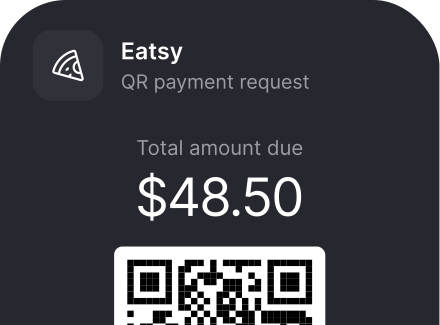
QR code verification
Verify cross-device actions without leaving the flow
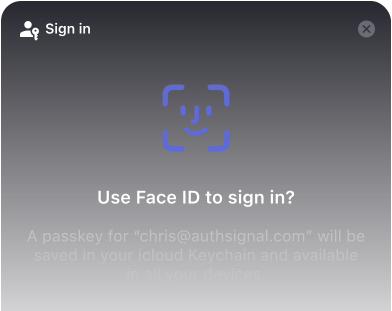
Passkeys
The strongest, most user-friendly passwordless authentication available
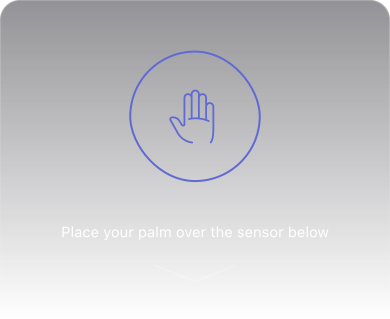
Biometric authentication
Face and palm biometrics for high-assurance mobile identity
Your users shouldn't feel your security controls. Your fraud team should.
Add cryptographic in-app verification to your iOS, Android, React Native, or Flutter app and stop high-risk action fraud without adding friction to your best customers.
Meets PSD2 SCA, RMiT, and PCI DSS possession requirements. Talk to our team for jurisdiction-specific guidance.
Frequently asked questions
What is in-app verification?


In-app verification is Authsignal's cryptographic mobile authentication method for securing high-risk actions, payments, withdrawals, account changes, directly within your iOS, Android, React Native, or Flutter app. Unlike SMS OTP or email-based MFA, it requires no code entry. The device's private key silently signs a challenge server-side.
Can I add in-app verification to an existing mobile app?
Yes. The Authsignal Mobile SDK is designed to drop into existing iOS, Android, React Native, and Flutter apps without replacing your current identity provider. You can be in production within a day.
What's the difference between in-app verification and push verification?
Push verification delivers a notification the user taps to approve, useful when they're outside your app. In-app verification happens silently within the app, with no notification required. It's the better choice when users are already inside your product completing a high-risk action.
Does the private key ever leave the user's device?
Never. The private key is stored in the platform's native secure storage, iOS Secure Enclave or Android Keystore. Only the public key is registered with Authsignal.
Can I use in-app verification with my existing identity provider?
Yes. Authsignal integrates with Auth0, Amazon Cognito, Azure AD B2C, Keycloak, and more. No migration required. Authsignal layers in-app verification on top of your existing identity provider.
What happens if a user gets a new device?
Authsignal's enrollment lifecycle API lets you manage credential registration, re-enrollment, and revocation programmatically, so you stay in control of which devices are trusted.
Can in-app verification be used to satisfy strong customer authentication (SCA) requirements?
Yes. Cryptographic, device-bound verification can be used to meet possession-based SCA requirements under PSD2, RMiT, and PCI DSS, including device binding mandates. Talk to our team for jurisdiction-specific guidance.