


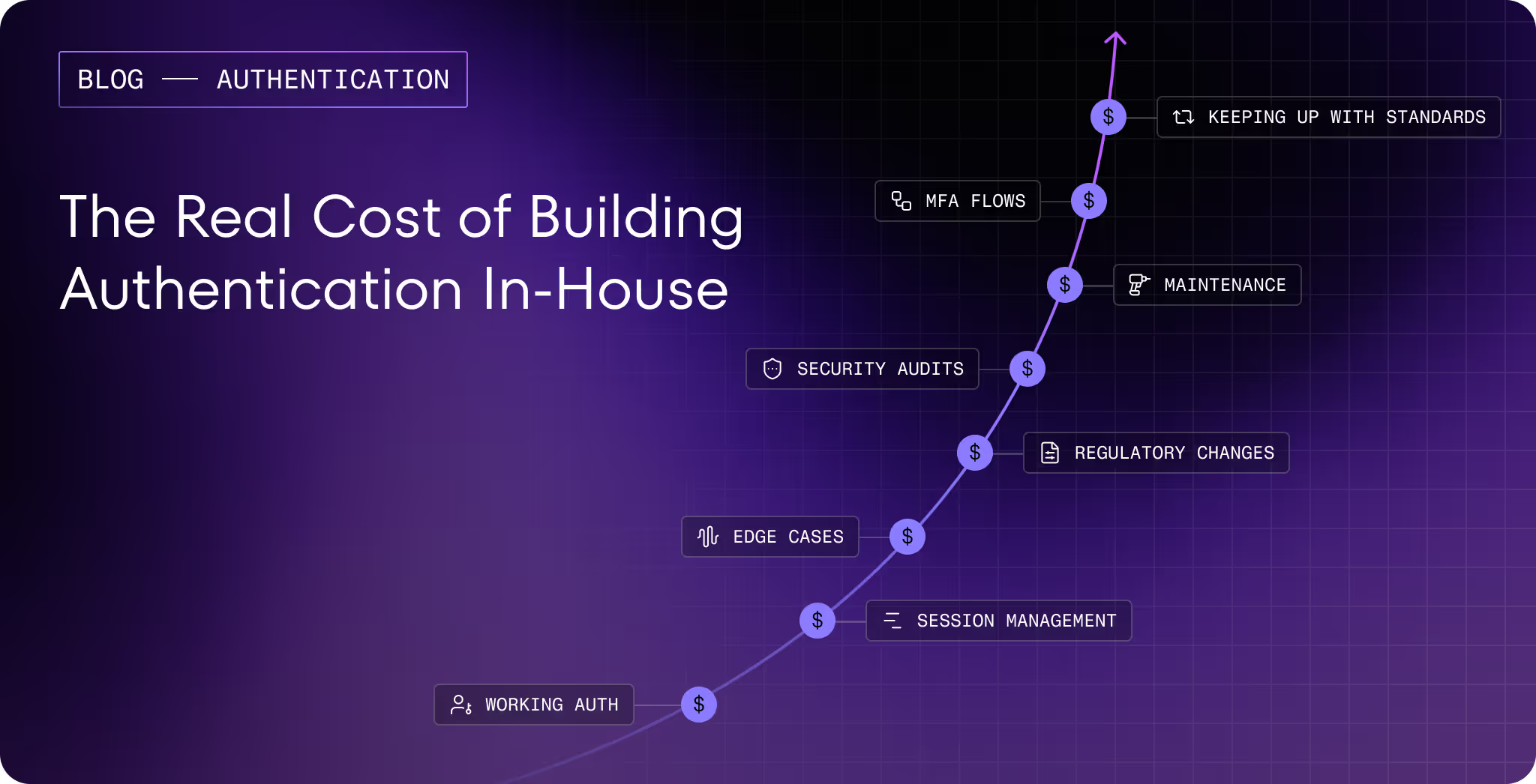
Most teams don't set out to get authentication wrong. It just sort of happens. You pick something familiar, wire it up, and ship. There are features to build, deadlines to hit, and to be honest, auth feels done too. Users can log in. Nothing's on fire. You'll come back and tighten it up later.
The problem is that "later" has a way of arriving uninvited. A support ticket that turns into a pattern. An account compromise that shouldn't have been possible. A bill that makes no sense until someone explains what SMS pumping is. And when you start pulling the thread, it almost always leads back to an auth decision that felt reasonable at the time.
It’s harder than it looks

The surface area of auth seems small. A user proves who they are, you verify it, they get in.
But there’s a lot going on underneath that. How long should a session stay alive? What happens when someone loses access to their second factor? How do you handle a login from a device you've never seen? What does your fallback path look like when the primary factor isn't available, and does that fallback quietly undo the security you built above it?
A lot of teams add passkeys or a strong authenticator method, feel good about the upgrade, and leave SMS as a fallback because removing it feels risky. But a fallback is only as safe as its weakest assumption, and SMS has a few. If someone can get in through the recovery path, it doesn't matter how solid the front door is.
Session management is another area that looks fine on paper but can cause real problems in practice. Tokens that live longer than they should, sessions that don't invalidate cleanly on logout, refresh tokens that outlive their usefulness. None of it looks dangerous, but all of it gets found eventually.
The teams that build auth well tend to have been burned by at least one of these things. Most of the hard-won knowledge in this space came from somewhere.
There's also a common misunderstanding worth clearing up early. A lot of teams think "auth" means the whole identity stack: SSO, authorization, OIDC, user management. But authentication is a specialized layer on its own. How you handle the flows, the factors, the fallbacks, that's a distinct problem, and it deserves dedicated attention regardless of what IdP you have sitting in front of it.
Most teams that have Okta or Auth0 in place assume authentication is covered. Sometimes it is. Often there are gaps, and those gaps sit exactly in the places nobody thought to look.
The landscape doesn’t pause while you’re building
Whatever you shipped a couple of years ago, the world it was designed for has moved.
Phishing is a good example. The standard advice used to be: train people to spot the signs. Bad grammar, strange sender addresses, misplaced urgency. That advice has aged poorly. Generative AI means a convincing, well-researched phishing email costs an attacker almost nothing to produce. You can't train your way out of a problem where the fake email reads better than the real one.
Account recovery flows are increasingly where attacks are done. As login flows get stronger, attackers look for the softer target, and the "I've lost access to my account" path is often it. Security questions, SMS-based resets, support escalations. If recovery is weaker than login, that's where the pressure goes.
Regulation is also moving, faster than most teams expect. In financial services especially, requirements that don't apply today might apply in twelve months. Finding out about a regulatory change after the fact is a genuinely bad position to be in, and it's more common than it should be.
None of this is cause for alarm. But it is worth being honest about whether what you shipped is still holding up, and whether your system can adapt without requiring a full rebuild every time something changes. This is part of why platforms like Authsignal exist: the maintenance of staying current with evolving standards and threats happens at the platform level, not on your sprint board.
The failures are usually quiet

Most auth failures don't look like failures at first. There's no alarm, no obvious intrusion. Things just drift in the wrong direction until someone notices.
Replay attacks are a good example. Most OTP-based systems assume that the right code means the right person. But codes can be intercepted through phishing, through malware, through real-time proxies that sit between a user and a legitimate site and forward credentials as they're entered. The attacker submits a valid code. The system accepts it. Nothing looks wrong, because by the system's logic, nothing is.
A 2024 Microsoft study found that over 40% of users who experienced account takeovers had MFA enabled at the time. The MFA worked as designed. The design had a gap.SMS-based flows have their own specific failure modes, including fraud patterns that can generate significant unexpected costs. But SMS is just one example of a broader pattern: any method, implemented without really understanding where it breaks, has cracks somewhere. The question is just whether you find them or someone else does.
Giving users options isn’t just a good UX, it’s good security as well
There's a version of "secure authentication" that works perfectly in a controlled environment and falls apart in production because real users don't behave like test users.
Some people can't use passkeys yet. Device support isn't universal. Enterprise customers often arrive with existing SSO requirements that aren't going away. Some users simply won't enroll in an authenticator app no matter how clearly you explain why they should, and if the only alternative is abandoning the signup flow, you've lost a real customer over an auth preference.
This is where optionality matters. Not because every method is equally secure, but because a security system people route around is worse than one that meets them where they are. Offering passkeys, TOTP, magic links, push notifications, biometrics, and a sensible fallback means fewer dead ends, smoother onboarding, and more users landing on stronger factors than they would have if you'd tried to force the issue. The path of least resistance should be the secure one. That's a design problem as much as a technical one.
Authsignal is built around this idea, rather than integrating each method independently, all of these options are available out of the box and configurable through a single platform. New customers come with expectations about what login should look like, and the fewer times you have to say "we don't support that yet," the smoother onboarding gets.
Moving fast and getting it right aren't mutually exclusive
The idea that shipping quickly and building auth properly are in tension isn't really true anymore. It used to be. The tooling has caught up.
Authentication UI alone is deceptively time-consuming. Login forms, MFA enrollment, step-up challenges, recovery flows. Each one looks simple until you're handling edge cases, and there are always edge cases. By the time you've tested it properly across devices and browsers, weeks have gone by and you haven't shipped anything users actually see.
Pre-built UI solves this not just by saving time, but by giving you something that's already been through that process. The edge cases are handled. The accessibility is there. You configure it, you ship, and you move on.
The same logic applies to how you decide when to challenge a user at all. “Always ask for a second factor" policy adds friction to sessions that don't need it. A system that reads the signal, familiar device, usual location, normal behavior, and only steps in when something looks off, is both more secure and less annoying to use. Most users never notice it working. That's how it should be.
Audit logging is the one thing that almost always gets deferred and shouldn't. Nobody feels the absence of it until they need it, and by then it's too late. A customer dispute, a compliance question, a security incident you're trying to reconstruct. Build it from the start.
There's real value in not starting from zero
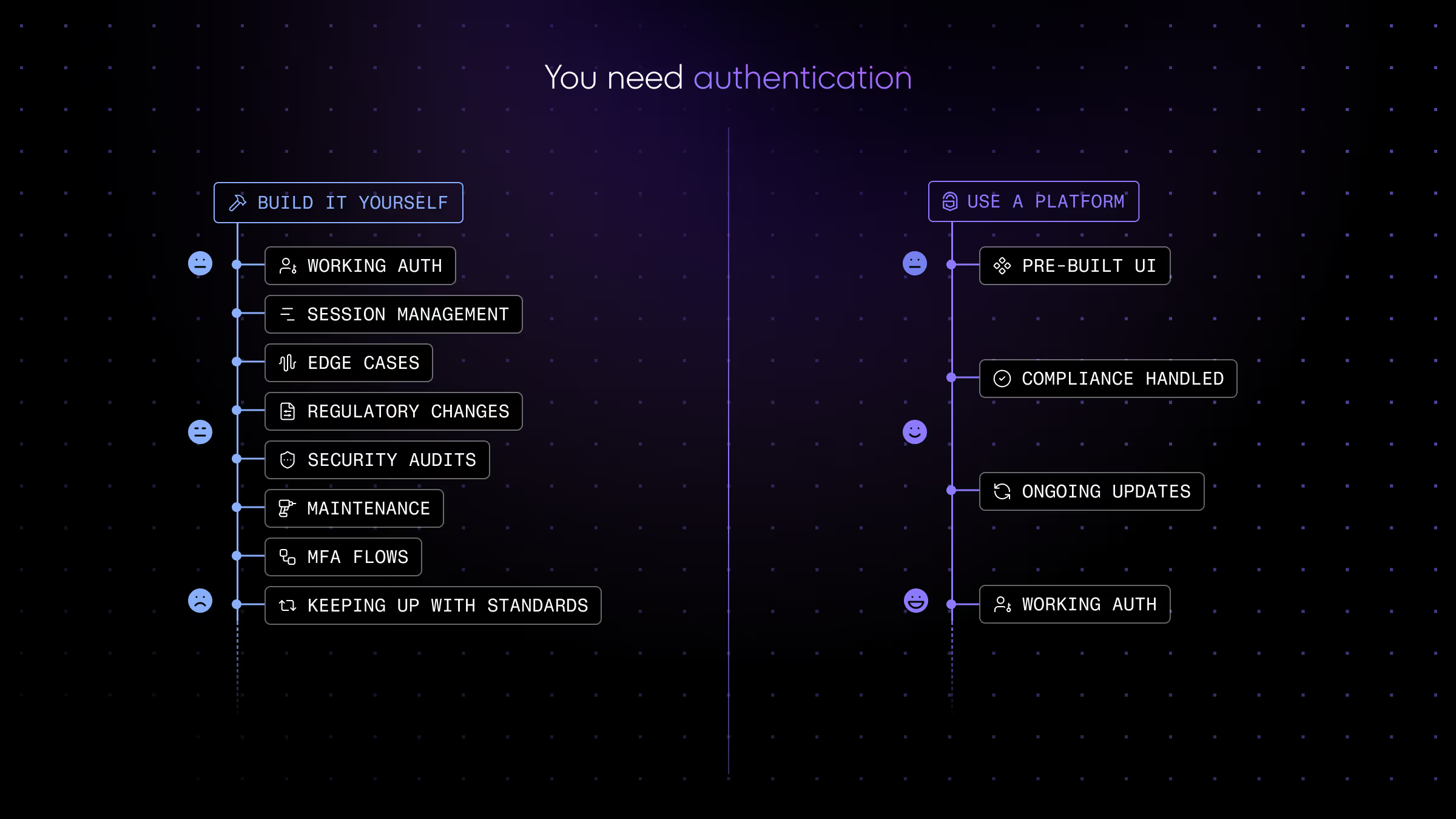
Authentication is a specialization. The teams who do it well have spent years on it, across hundreds of integrations, building up an understanding of failure modes that aren't obvious until they are. They've tracked regulatory changes across different jurisdictions. They've maintained libraries through breaking changes and security disclosures. That expertise accumulates slowly and it's genuinely hard to replicate quickly.
Building your own auth stack from scratch means absorbing all of that the hard way, while also trying to ship your actual product. Most teams underestimate this cost until they're in the middle of it.
Authsignal is built around the idea that you shouldn't have to start from zero. Passkeys, biometric authentication, TOTP, magic links, WhatsApp OTP, push notifications, email OTP, all available out of the box. Pre-built UI that's production-ready. Risk-based decisioning that adapts to real signal. Audit logging from day one. And when standards shift, when a new attack pattern emerges, when a regulation changes in a market you operate in, that gets absorbed at the platform level rather than landing on your sprint board.
.avif)
.avif)
.avif)