Step-up authentication adds an extra layer of security when users try to access sensitive resources or perform high-risk actions. Instead of requiring strong authentication for every login, you can prompt users for additional verification only when they're doing something that requires it, like accessing financial data or changing account settings.
This approach strikes a balance between security and user experience. Users can browse freely with basic authentication, but when they attempt sensitive operations, they'll need to verify their identity with MFA.
In this guide, we will look into how to add step-up authentication to Duende IdentityServer using Authsignal. You will learn how to trigger additional authentication challenges based on rules you define, such as requiring MFA for specific applications or when users haven't authenticated with MFA yet in their current session.
This guide builds on our previous blog demonstrating Authsignal MFA with Duende IdentityServer: (https://www.authsignal.com/blog/articles/how-to-add-mfa-to-duende-identityserver-with-authsignal)
Set up
First, follow the instructions in the Identity Server Demo Github Repository:https://github.com/authsignal/identity-server-example.
This will set up two applications:
- IdentityServer itself
- A demo client
How it works
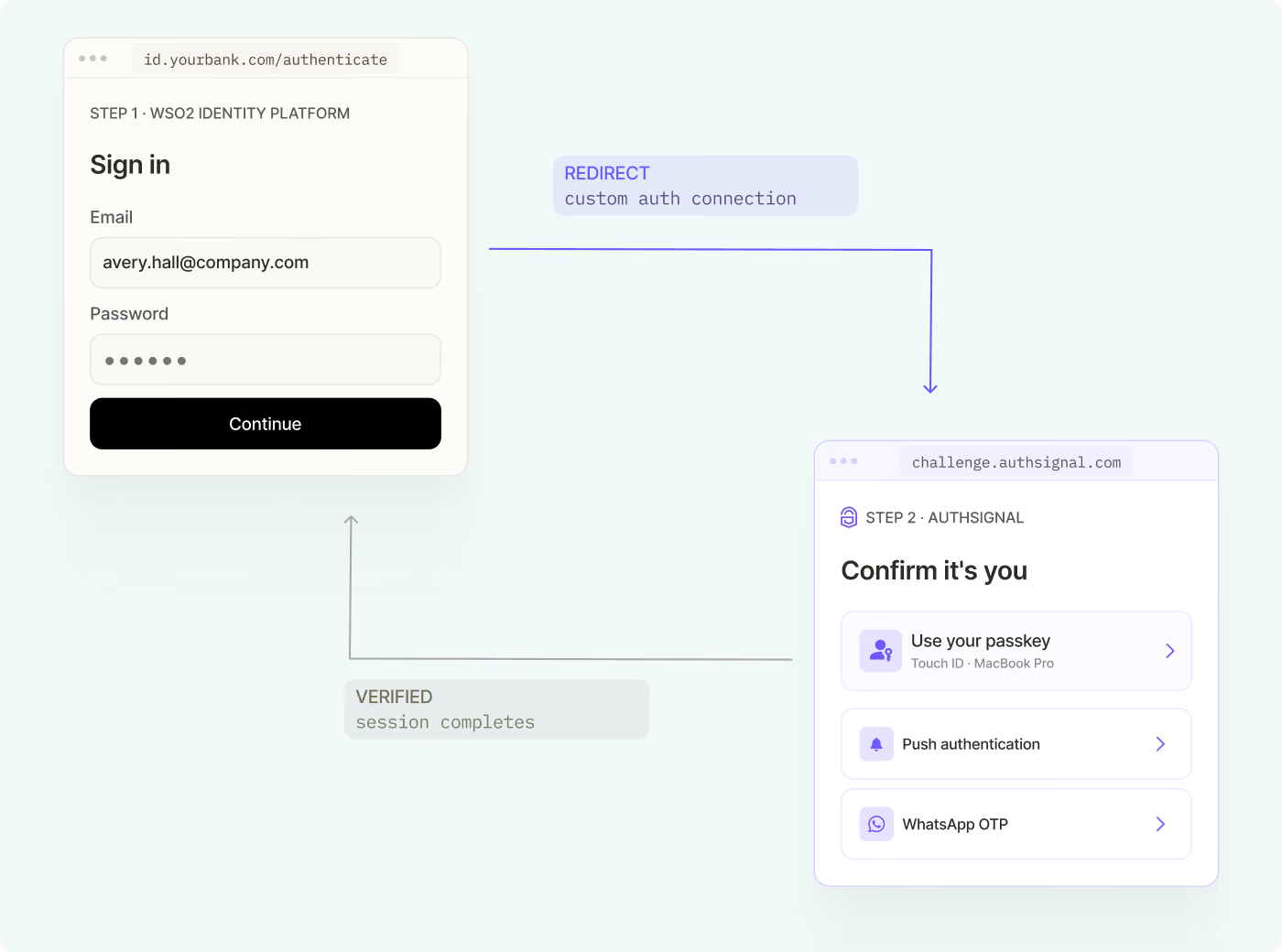
The StepUpInteractionResponseGenerator intercepts the authorization process at a critical point. After the user has logged in but before granting access to the requested application, it calls Authsignal's track API with context about the request.
Authsignal's rules engine evaluates this context against your configured rules. If step-up authentication is required, it returns the challenge URL. The generator then redirects the user to Authsignal's prebuilt UI to complete MFA.
Once the user completes the challenge, Authsignal redirects them back with a token. The generator validates this token before allowing the authorization code flow to continue. If validation fails, the request is denied.
Implementation
Starting with the base IdentityServer example, we add a new class that decorates AuthorizeInteractionResponseGenerator with our step-up authentication logic:
Next, inject our new IAuthorizeInteractionResponseGenerator in the ConfigureServices method in
HostingExtensions.cs :
After making these changes, start IdentityServer:
Additionally, start the WebClient:
Navigate to https://localhost:5002 .
You will then be prompted to log in to IdentityServer (username: alice , password: alice).
If configured in the Authsignal rules engine, you may be requested to perform step-up authentication.
Example step-up scenarios
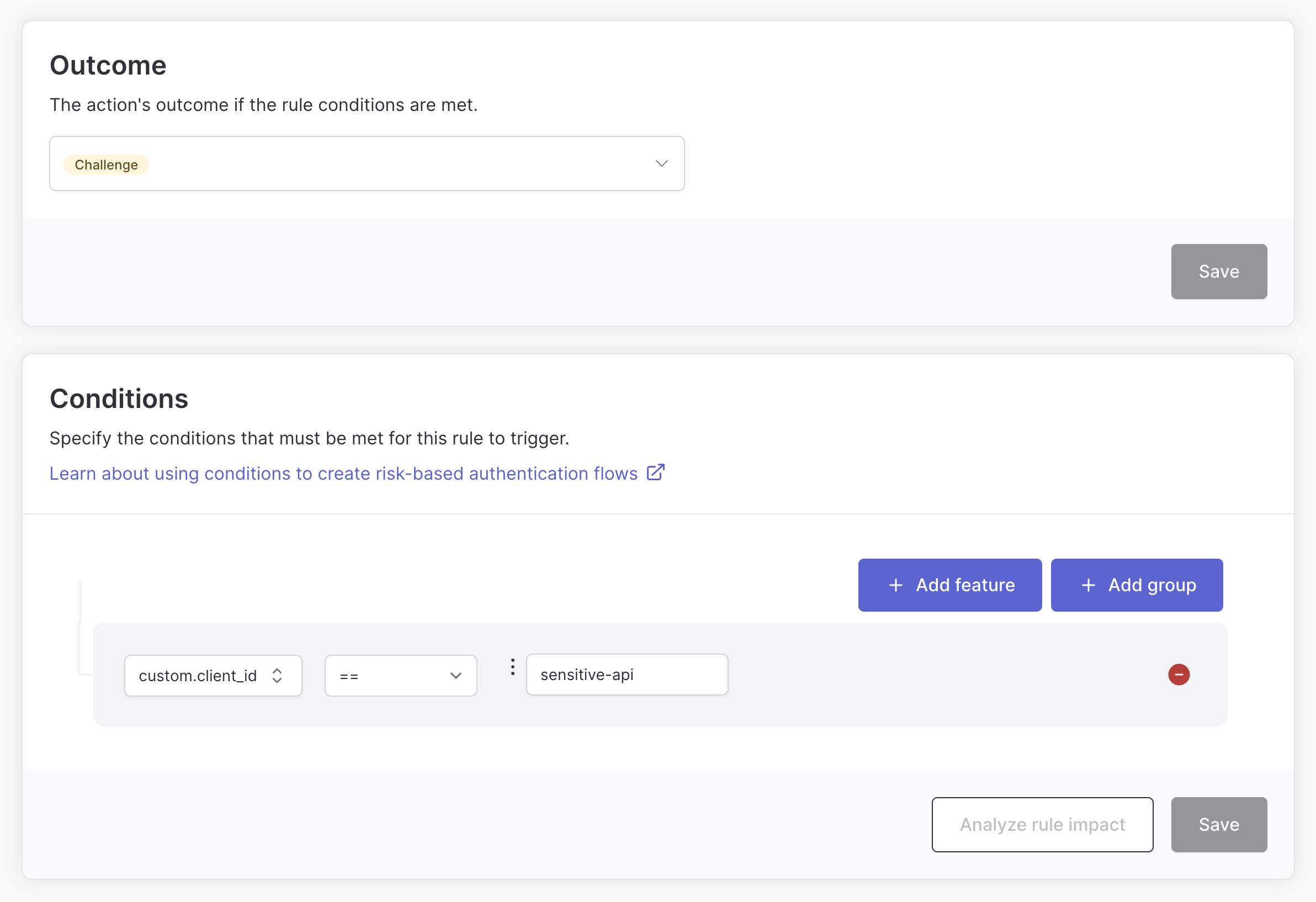
Step up for specific applications
In our example we pass the client_id value from the Authorization Code Request in the track call. This allows rules to be created that only require a step-up for specific client applications.
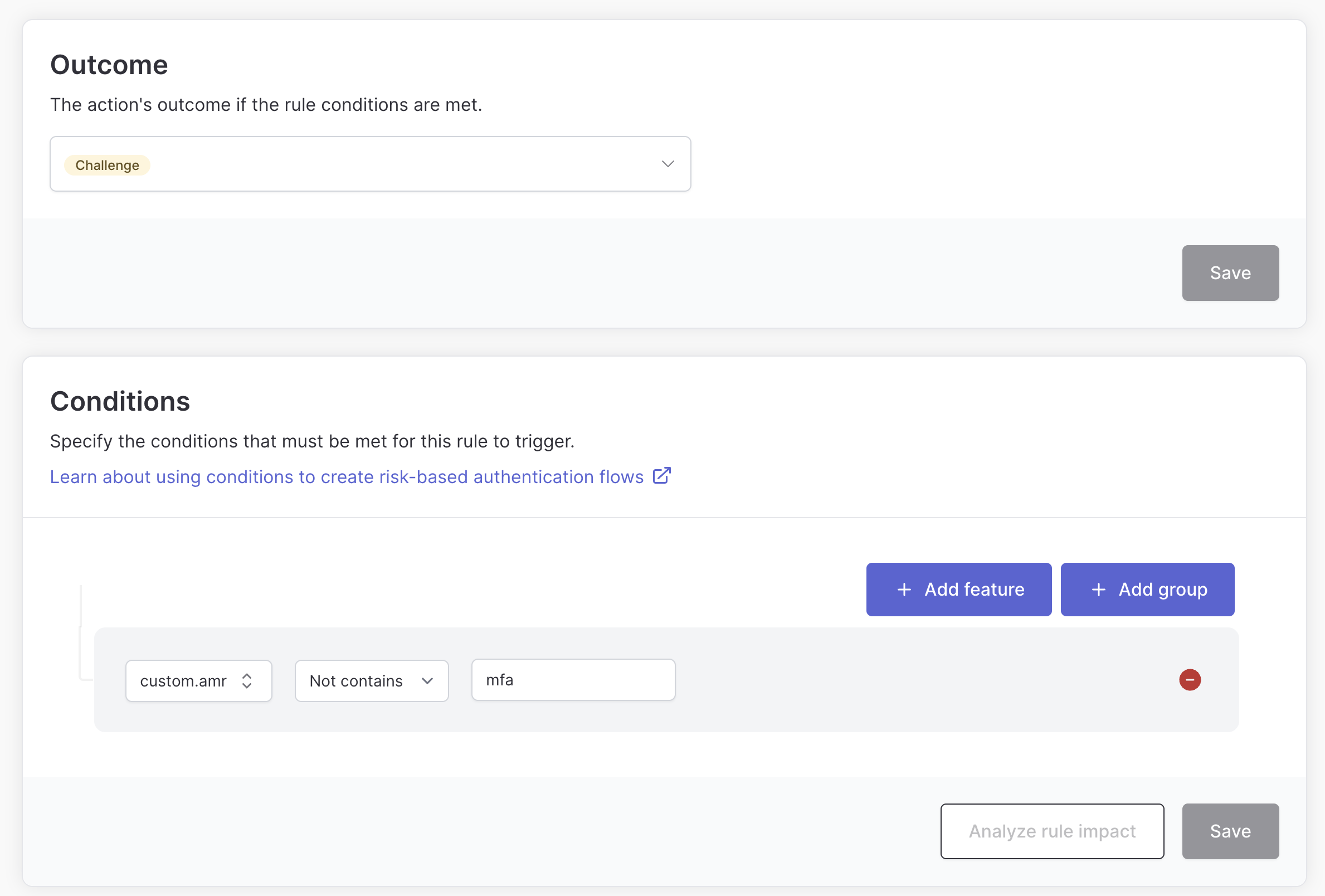
Step up if the user hasn’t completed MFA yet
In our example we pass along the amr claim from the session cookie in the track call. This allows us to define rules based on the presence of this claim, ensuring that a user isn’t required to use MFA until they attempt to access a sensitive application.
This can provide a good balance between security and usability.
Wrapping up
Step-up authentication gives you fine-grained control when users need to prove their identity with MFA. By integrating Authsignal with Duende IdentityServer, you can enforce adaptive security without disrupting the user experience for low-risk activities.
You can find the complete example code in the IdentityServer demo repository. For more information about configuring rules and using Authsignal, checkout Authsignal docs, or connect with our team.